For iPhone, iPad, and Mac
AutoFill PDF & eSign for Apple devices
Prepare, manage, and send your documents wherever you work. A dedicated iPhone and iPad experience for PDF autofill and remote e-signatures.

Inside the app
The complete workflow, on Apple devices
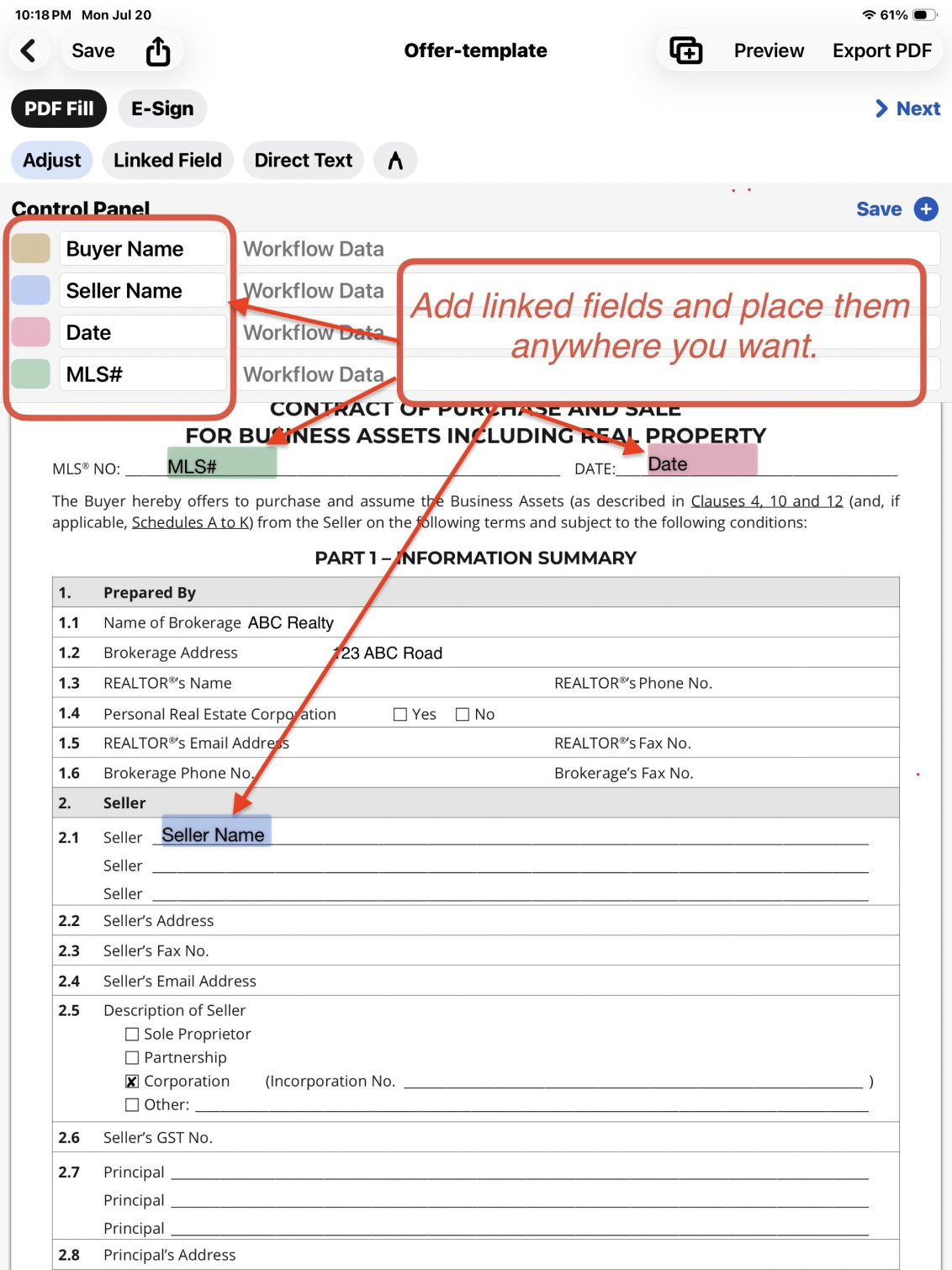
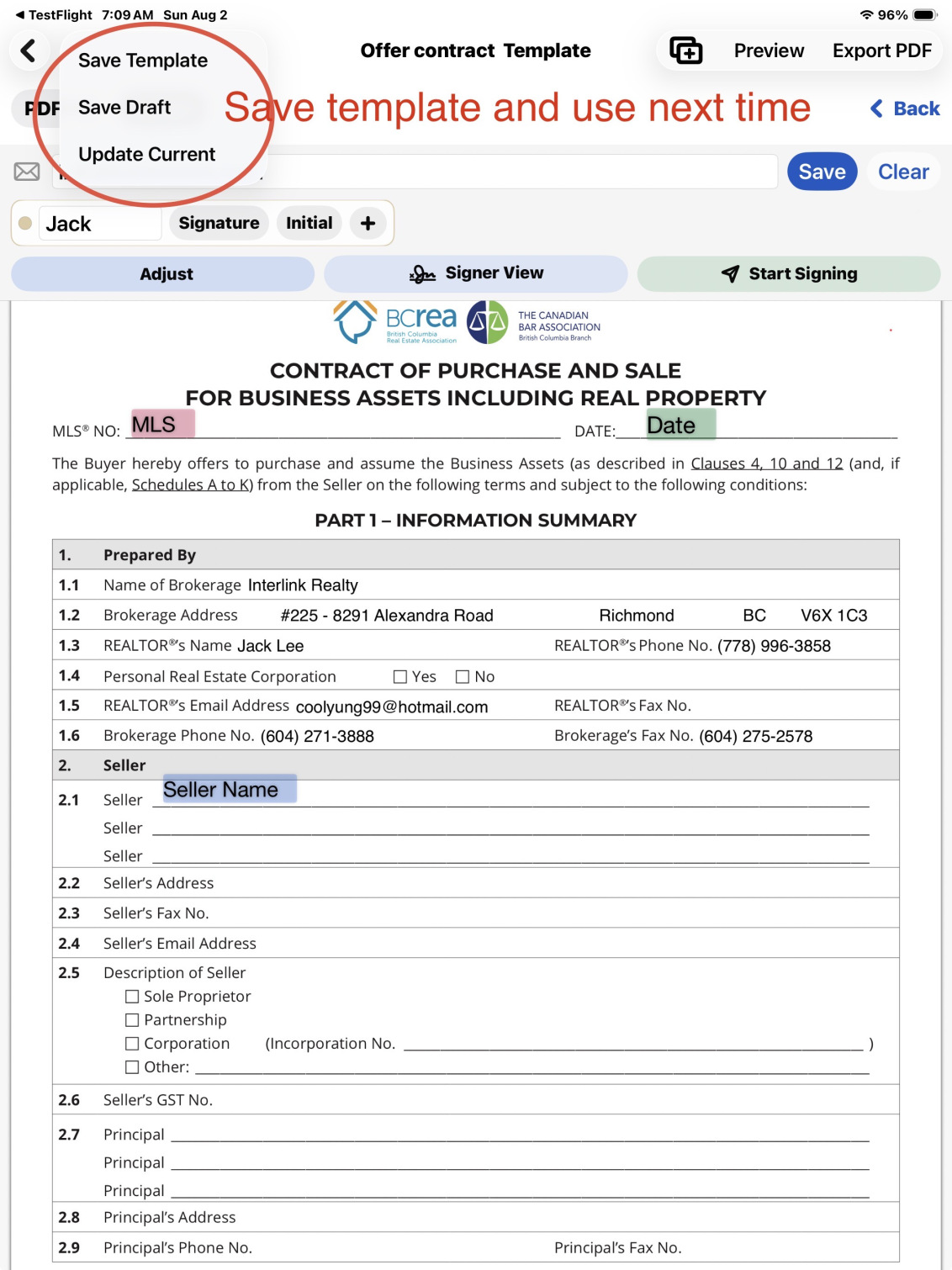
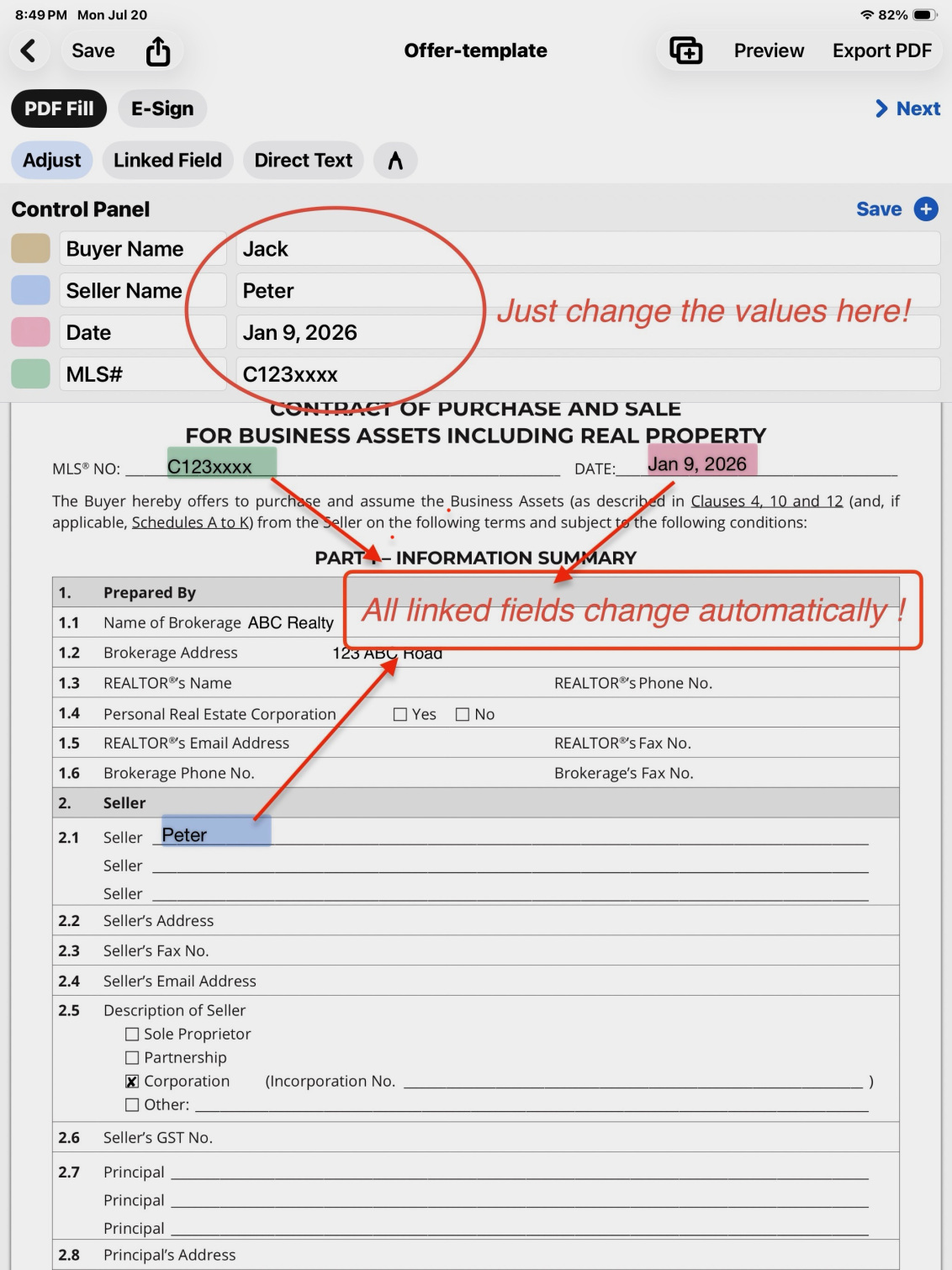
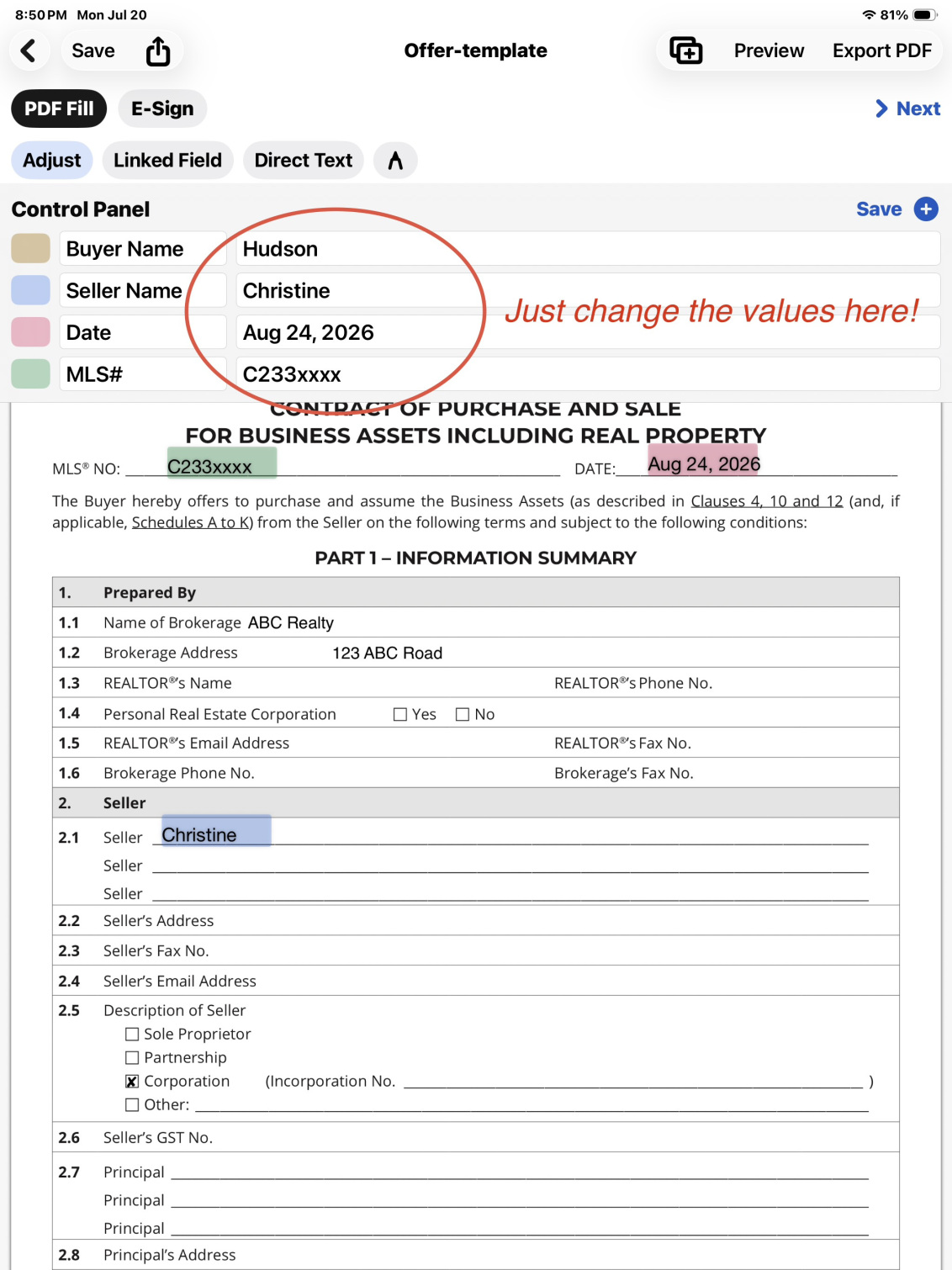
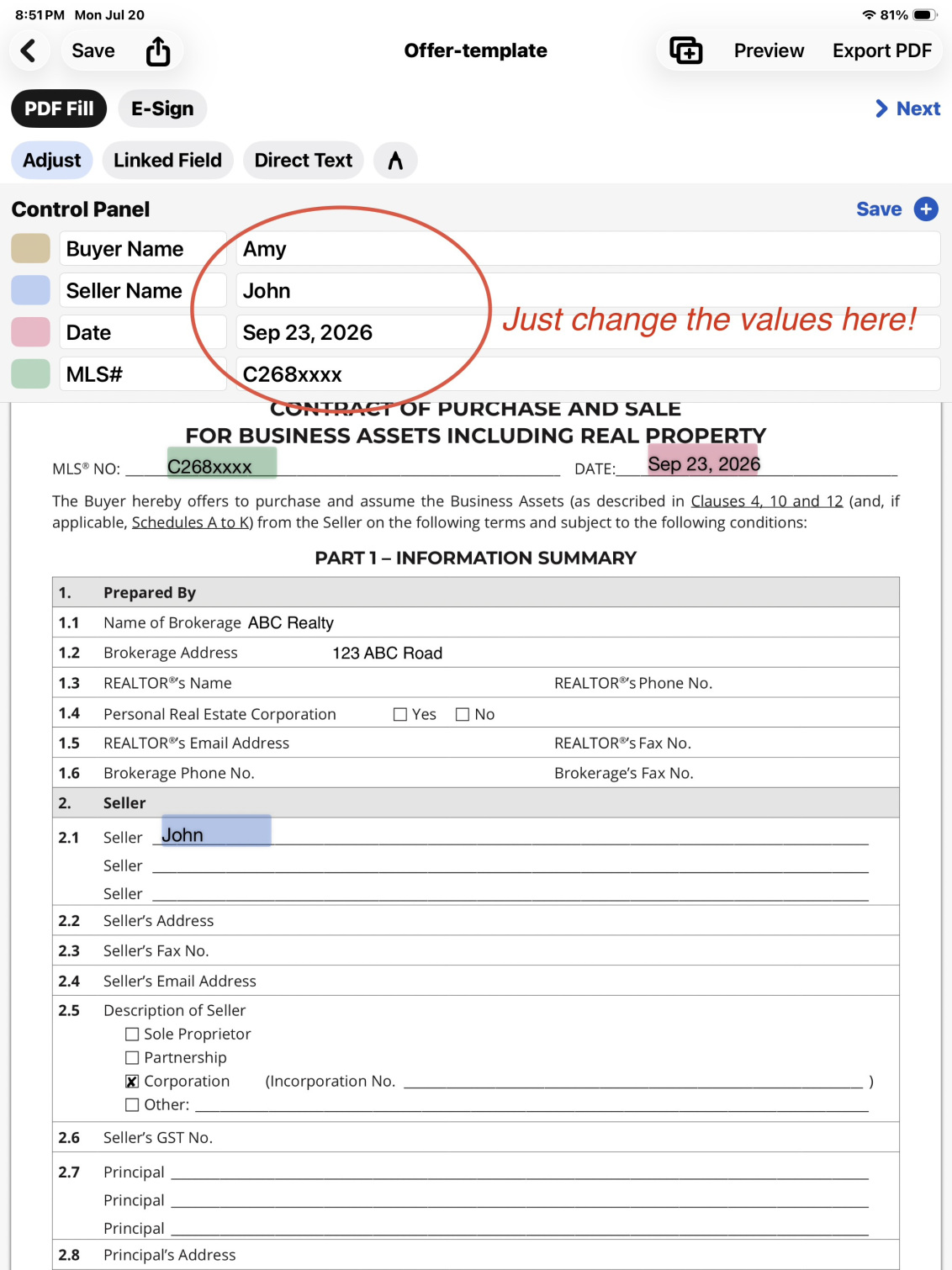
See every step
Demo videos
AutoFill PDF demo
OCR data capture
E-sign demo
Important features & tips
Everything you need to finish paperwork faster
01
Reusable PDF workflows
Combine multiple PDFs into one workflow and reuse it across clients and cases.
02
Autofill & OCR
Enter data once and fill linked fields everywhere. Pull details straight from existing documents with OCR.
03
Remote e-sign
Send secure signing links and collect signatures without asking recipients to install anything.
Get AutoFill PDF & eSign for iPhone and iPad
Download from the App Store and start on your next document.