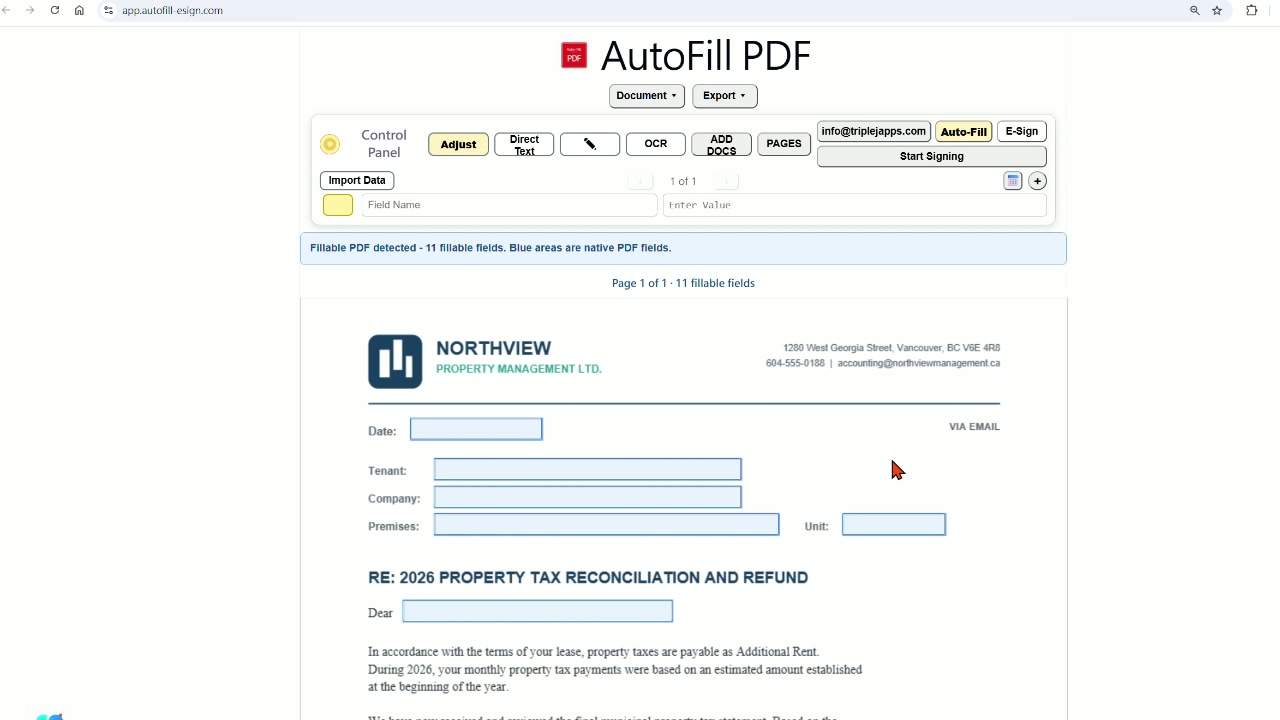
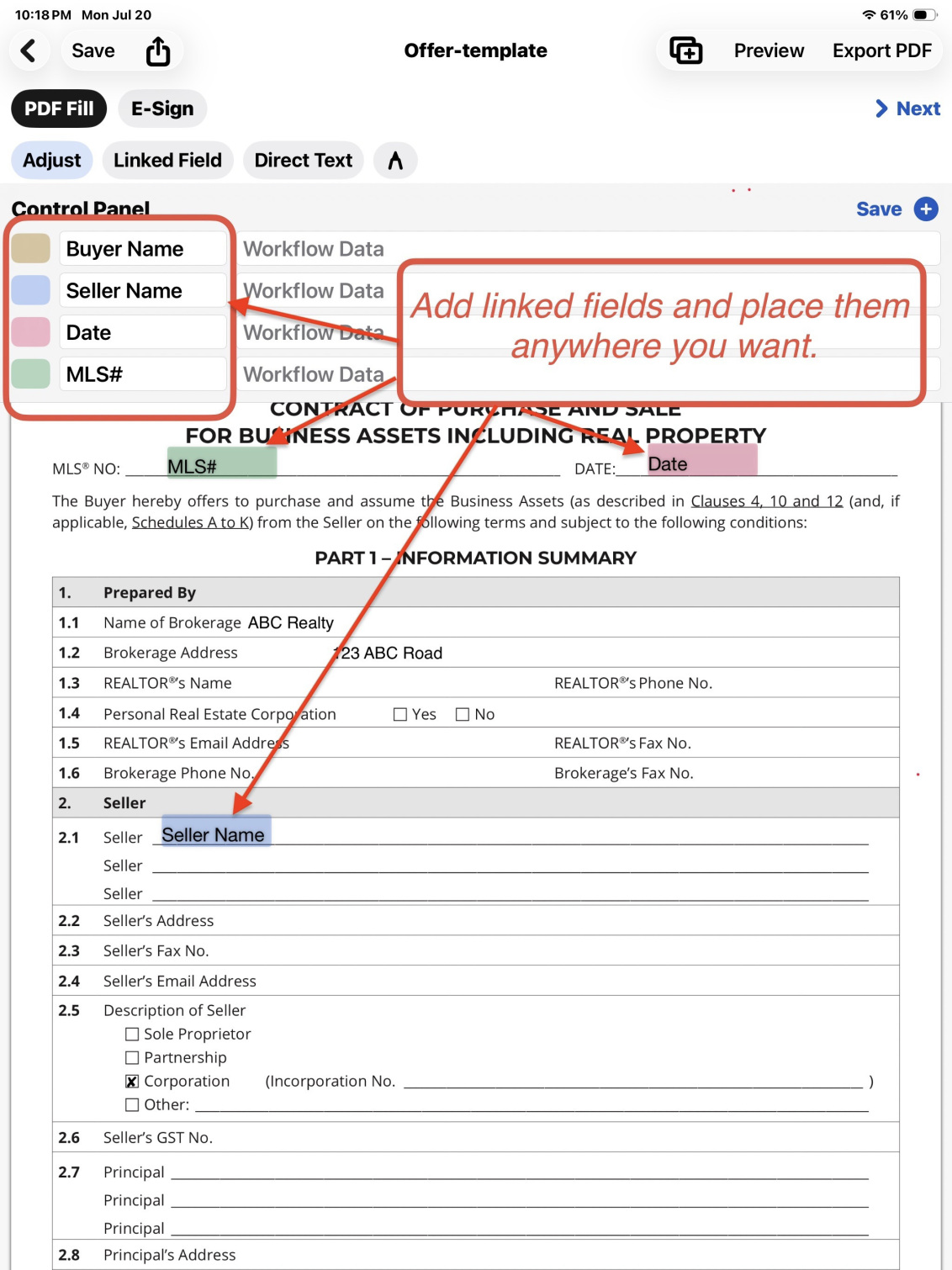
Working on one client or case? Enter details by typing, OCR, or Excel import, and fill linked fields across your prepared PDFs. Review the documents and send them for e-signature when needed.
One client’s details → Offer, addenda, and related forms
Working with multiple recipients? Import a spreadsheet, select the records you need, and generate a separate personalized PDF for each selected record. Email each PDF to its corresponding recipient.
AutoFill PDF & eSign helps professionals complete repetitive PDF paperwork faster. Enter information once, reuse it across linked fields and documents, and generate the finished files you need.
Type the information, capture it with OCR, or import spreadsheet records—then populate, export, or send the completed PDFs.
Real Estate Professionals
Offers · Addenda · FINTRAC forms · Commission forms · Subject removal forms · Subject extensions · Client letters
Enter client and property information once and reuse it across an entire offer package. Review the completed documents, then send them for electronic signature when needed.
Reuse tenant and property details across recurring documents. For batch notices, import a spreadsheet with each tenant’s details and applicable refund or adjustment amount. Select all tenants or just the ones you need, generate a personalized PDF for each selected tenant, and email each document to its corresponding recipient.
Reuse employee details across onboarding and office documents. For personalized announcements, import a spreadsheet containing each employee’s details and approved salary adjustment or bonus amount. Select the whole team or specific employees, generate an individual PDF for each selected person, and email each document to its corresponding recipient.
Small Businesses & Service Providers
Customer forms · Service agreements · Work authorizations · Notices · Personalized correspondence
Turn existing business PDFs into reusable workflows and complete recurring customer paperwork more efficiently.
Any Workflow Built Around Repetitive PDFs
Existing PDF forms · Multi-document packages · Personalized letters · Signature requests
If the same names, addresses, dates, or other details appear repeatedly, enter the information once and reuse it throughout the workflow.
Use your existing PDF
Define linked fields once
Enter, capture, or import the data
Generate, export, or send the finished documents
Choose your platform
Work where your documents take you
Any modern browser
Web App
Work in your browser with document packages, spreadsheet batch generation, and e-signature.
Spreadsheet batch generation is currently available on the Web App only.