PDF AutoFill
PDF AutoFill, linked fields, reusable templates, document packages, and PDF export.
US$4.99 billed monthly
US$39.99 billed yearly
7-day free trial · No credit card required
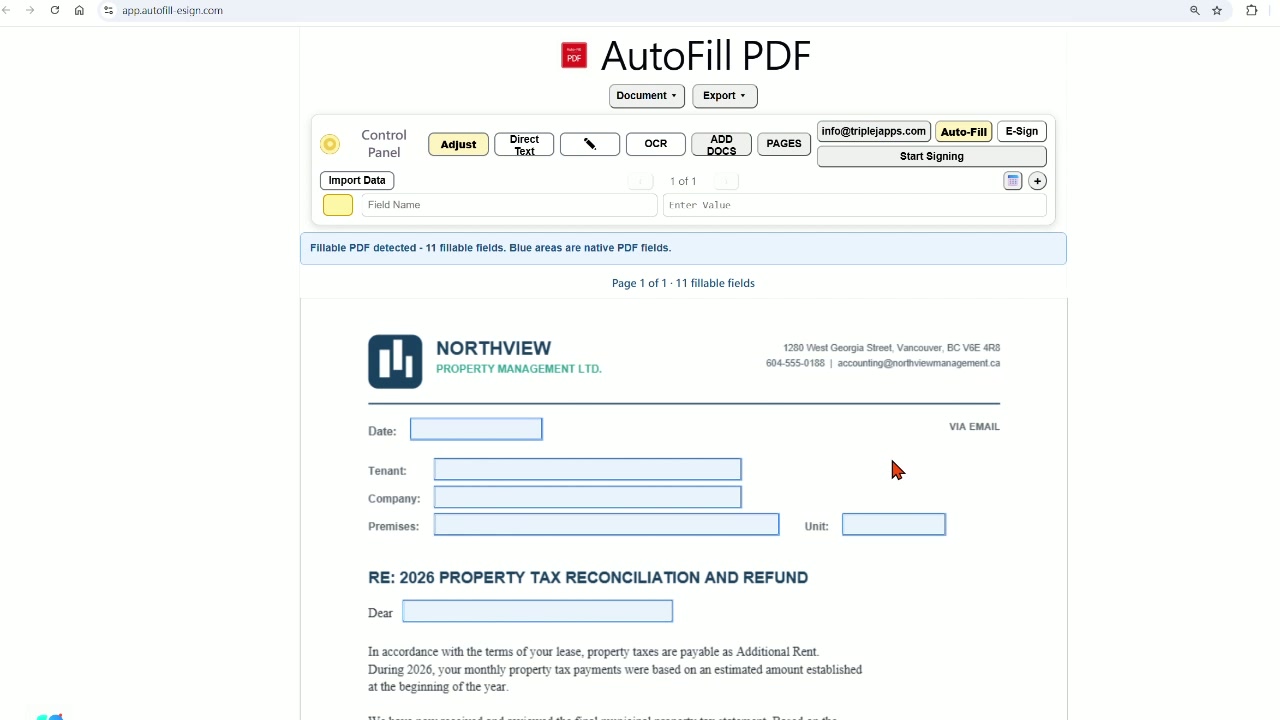
The browser-based workspace
Complete a document package using typing, OCR, or Excel data—or generate personalized PDFs in bulk from a spreadsheet. Send completed documents by email, and use e-signature for individual document workflows.
7-day free trial — no credit card required.
No installation
Windows, Mac, iPhone, iPad & Android
Workflow 1 · One client or case
Prepare your PDFs with linked fields once. Then type values, capture information with OCR, or import Excel data into the Control Panel to fill repeated information throughout the package.
Save the prepared template and reuse it for your next client or case.
After reviewing your document package, send it for electronic signature so recipients can review and sign.
Workflow 2 · Multiple recipients
Web App onlyImport Excel or CSV data, match your columns to PDF fields, and select the recipients and documents you need. A separate personalized PDF package is generated for every record — one for each client, tenant, or student.
Then send them all with one click: every recipient receives an email with their own PDF attached. On the Business plan, you can also add Bulk E-Sign — each recipient signs their own copy, so “I never received it” is no longer an excuse.
You see exactly who has signed and who hasn’t, resend a reminder with one click, and download the completed signed PDFs when they come back.
Then choose one action
One personalized PDF package per recipient, ready to download.
Email each recipient their own personalized documents.
Send individual signature requests to multiple recipients at once. Signers automatically receive their completed signed PDFs.
Common batch uses
A single PDF package can contain multiple documents, with repeated information linked to common fields. Each selected recipient receives their own personalized documents. Bulk Email and Bulk E-Sign are separate operations, and each can use its own document selection.
See it for yourself
Explore the basic workflow with the supplied demo document. No subscription is required.
To import and use your own documents, sign up for a 7-day free trial—no credit card required.
Open Web AppChoose what you need
Choose individual PDF or E-Sign tools, or an all-in-one Business plan with Bulk E-Sign.
PDF AutoFill and E-Sign start with a 7-day free trial. No credit card required.
PDF AutoFill, linked fields, reusable templates, document packages, and PDF export.
US$4.99 billed monthly
US$39.99 billed yearly
7-day free trial · No credit card required
Electronic signatures, signature and initial fields, and remote signing.
US$6.99 billed monthly
US$59.99 billed yearly
7-day free trial · No credit card required
Includes PDF AutoFill, E-Sign, and Bulk E-Sign.
US$19.90 billed monthly
150 Bulk E-Sign recipients per month
US$199 billed yearly
2,000 Bulk E-Sign recipients per year
Includes PDF AutoFill, E-Sign, and Bulk E-Sign.
US$39.90 billed monthly
400 Bulk E-Sign recipients per month
US$399 billed yearly
5,000 Bulk E-Sign recipients per year
Secure payments are processed by Stripe. We do not store your credit card information.